Weekly review
Once a week, what moved, what your plan changed and why, a rating across six parts of your health, and one thing to work on next week.
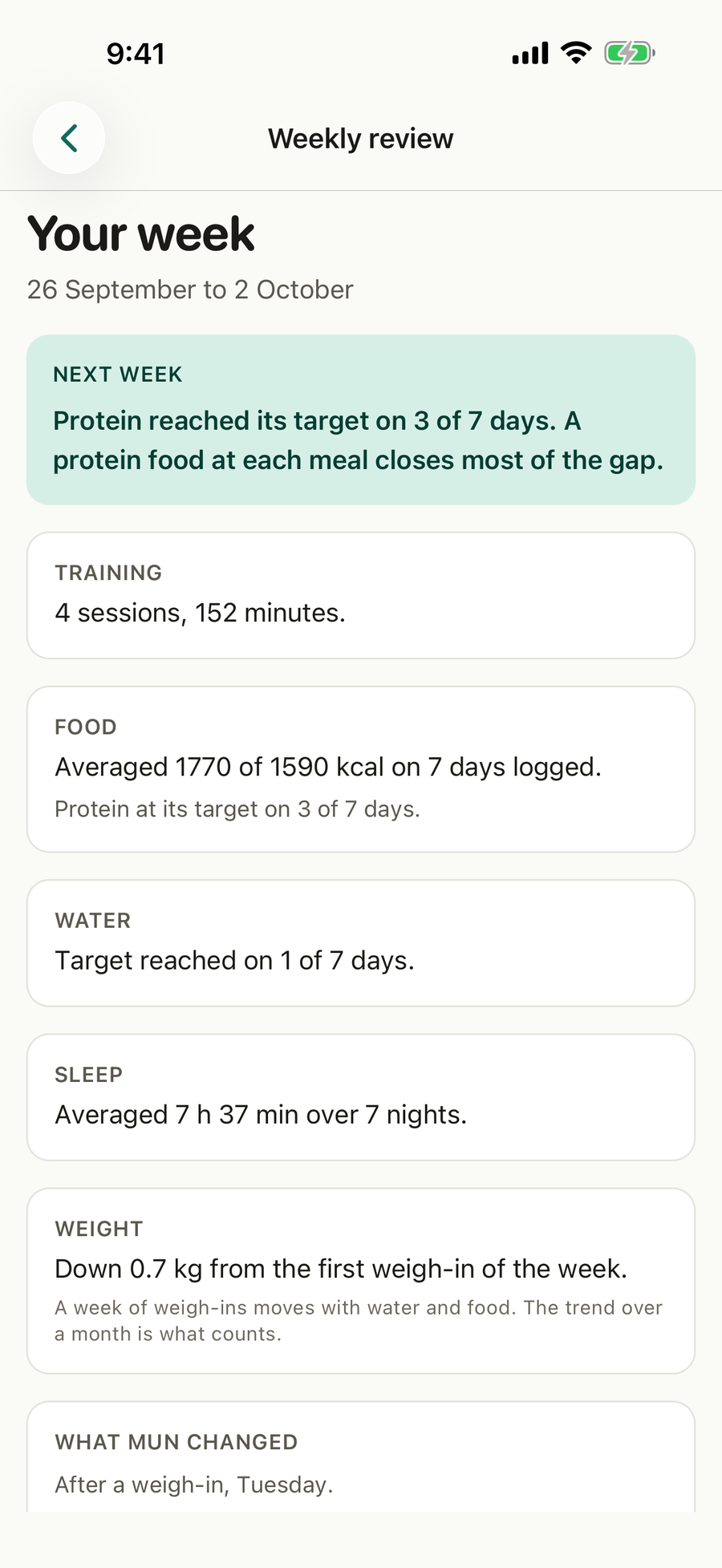
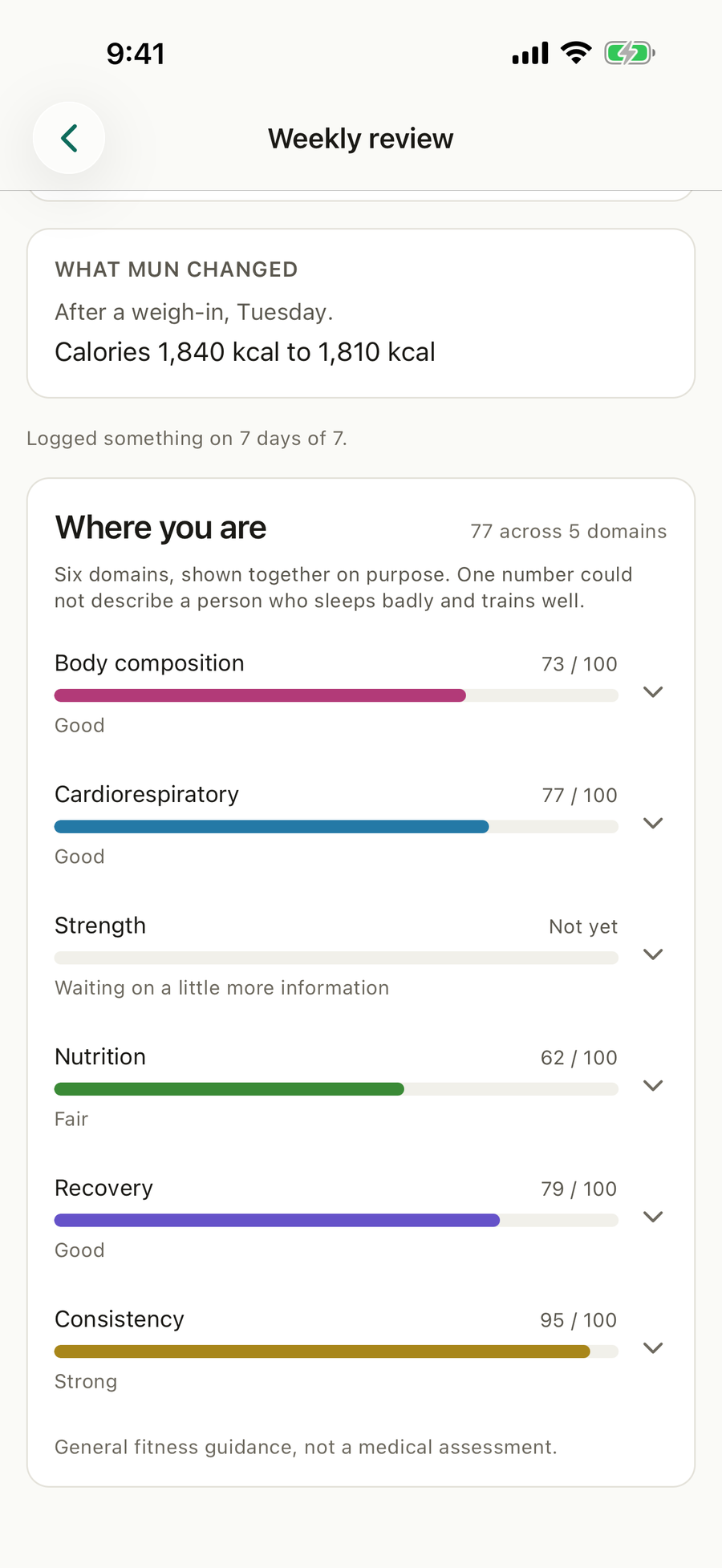
What’s on this screen
- Next week. The one thing most worth working on, the most basic gap first.
- Training, food, water, sleep and weight. What the week looked like for each.
- What MuN changed. Each change to your targets and what set it off.
- Where you are. Six domains, each out of 100.
- Your review day. The day Today offers your week.
What you can do
Open your week
On Today, tap Your week, or See your week on your review day.
Choose your review day
At the bottom of the review, under Your review day, tap the day. Turn on the weekly review reminder in Settings > Nudges if you like.
Read a domain
Tap a domain to see what its score is made of.
Good to know
- A domain says Not yet until there is enough logged to rate it fairly.
- The review looks only as far back as you have used the app.
Questions
When is my week ready?
On the review day you choose at the bottom of the review. Today then says Your week is ready, and you can turn on a reminder for it in Settings, Nudges. You can open the review any day from Today.
What does the rating mean?
Six domains, body composition, cardiorespiratory, strength, nutrition, recovery and consistency, each out of 100. They are shown apart on purpose, because one number cannot describe someone who sleeps badly and trains well.
Why does my review not show food or weight?
Some answers to the health check mean that numbers about food and weight could do more harm than good. In that case the review leaves them out and shows everything else.
What is "What MuN changed"?
Each time your targets moved that week, what moved and what set it off, such as a weigh-in. MuN is the engine Apexevo is built on.