Log
Everything you log for the day in one place. Water by the glass, meals from your own foods, sleep and weight, each with Undo.
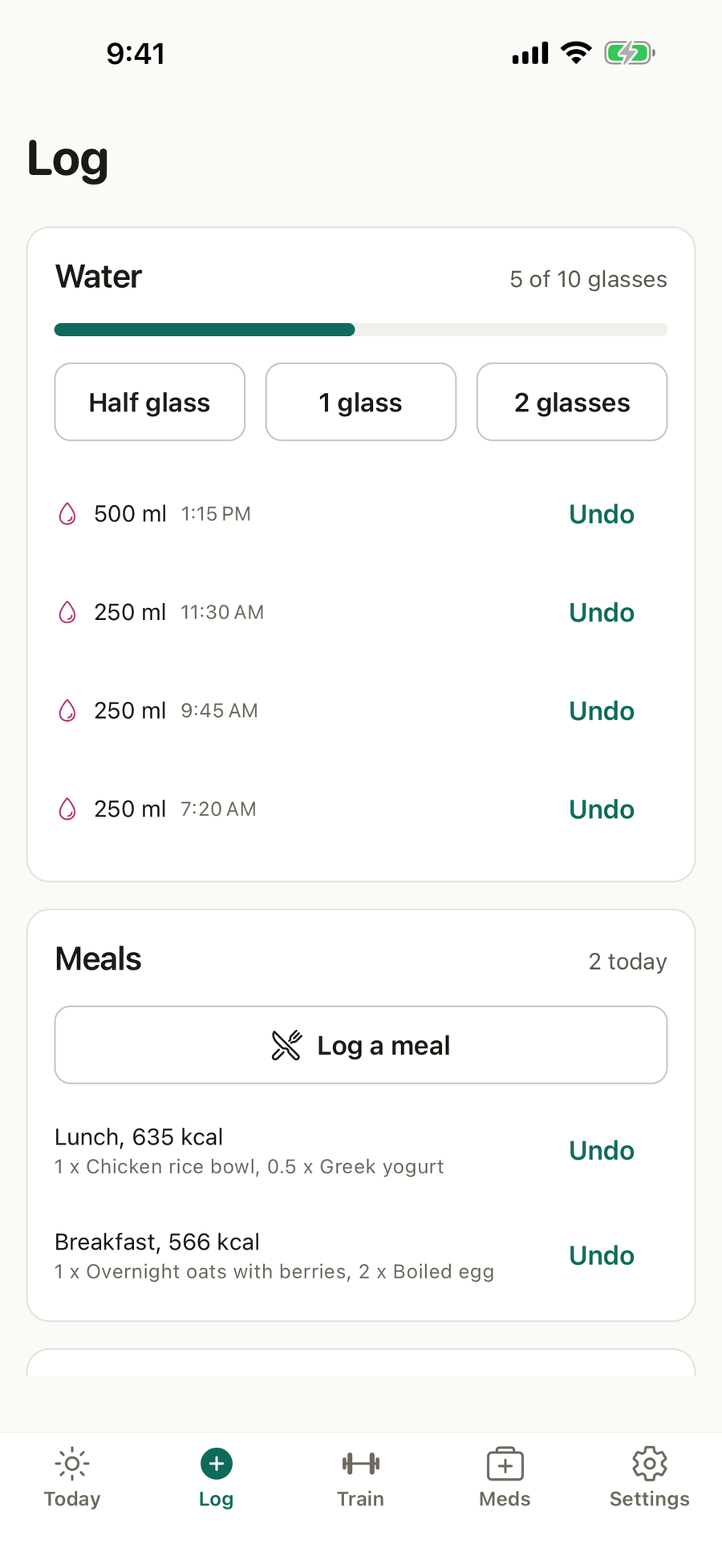
What’s on this screen
- Water. Glasses so far against today’s target, buttons for Half glass, 1 glass and 2 glasses, and today’s entries with Undo.
- Meals. Log a meal, and today’s meals with their calories and what was in them.
- Sleep. When you went to bed, when you woke and how you felt.
- Weight. Today’s weigh-in.
What you can do
Log water
Tap a glass button. Set your glass size in Settings > Units.
Log a meal
- Tap Log a meal.
- Pick the meal, such as breakfast, lunch, dinner, a snack or a drink.
- Add foods from your library or the shared list, and set how much of each.
- Save. The calories and protein add to today.
Manage your foods
Add a food with its serving, calories and protein, and fat, carbs and fibre if you know them. Add a photo to recognise it. Make a recipe from several foods. Archive a food you no longer eat; meals that used it keep their numbers.
Log sleep and weight
Enter last night’s bed and wake times and how you felt, and today’s weight. Weigh in once a week, on the same morning, before breakfast.
Undo
Tap Undo on any entry. Undo keeps your history honest, so the entry is marked rather than erased.
Good to know
- Body measurements, such as your waist, live in Settings > Body measurements.
- A preview cannot log anything.
Questions
How do I log a glass of water?
On Log, tap Half glass, 1 glass or 2 glasses. You can also log water from Today or from the home-screen widget without opening the app.
Do drinks count toward my water?
Yes. A drink you log with a meal counts toward water by its type. Most drinks count in part, and alcohol does not count.
Can I save the foods I eat often?
Yes. Add your own foods with their calories and protein, and a photo if you like, or copy one from the shared list. Build recipes from them once and log them in a tap after that.
What if I logged something by mistake?
Tap Undo on the entry. The day's totals update at once.
Can I log with no signal?
Yes. Everything is saved on the phone and synced when you are back online, and the Log tab opens with today's entries even offline.