Getting started
Create an account, agree to the terms, and choose a 30-second quick start or the full setup. Your first plan follows straight away.
What’s on these screens
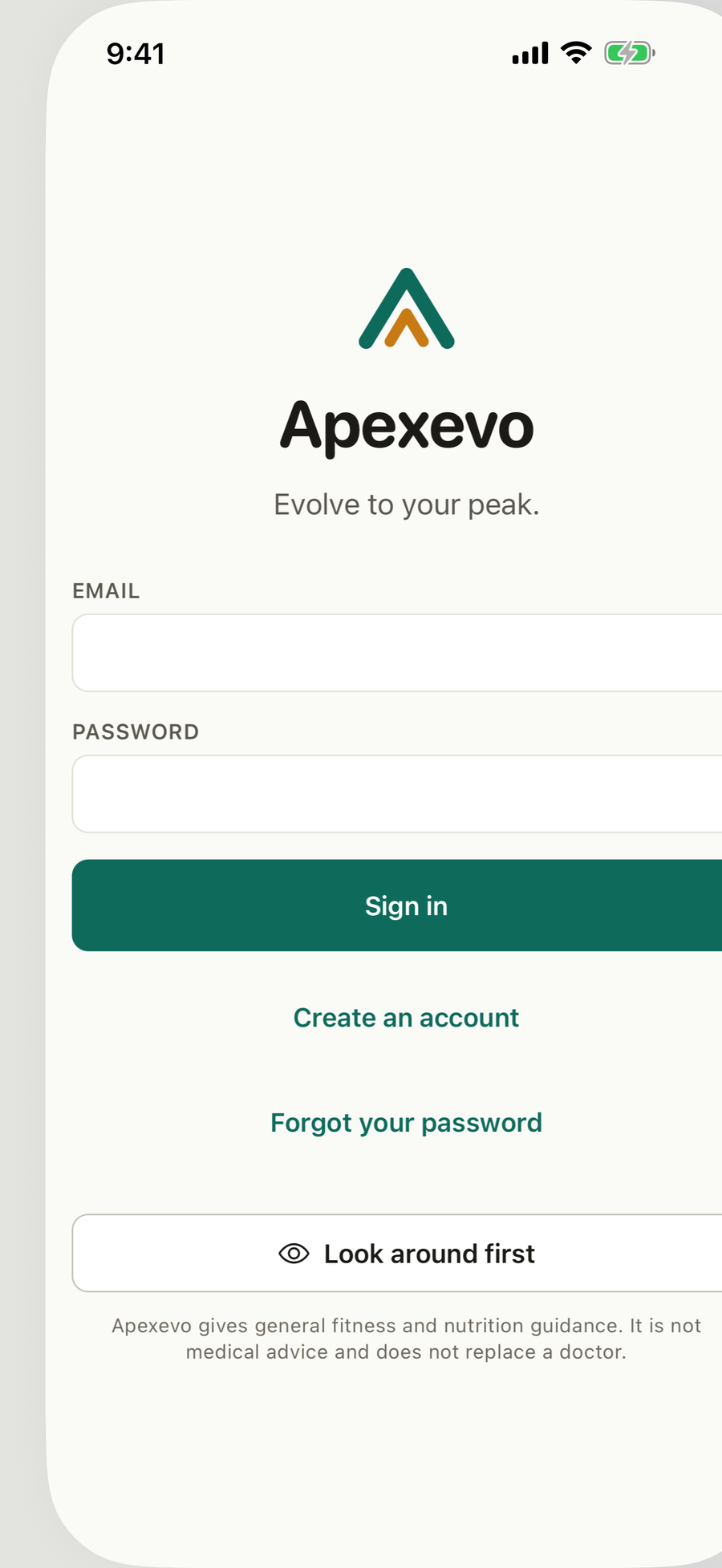
- Sign in. Email and password, Create an account, Forgot your password, and Look around first, which opens a preview with a demo person’s data.
- Before you start. What Apexevo keeps about you and why, in five lines, with the full privacy policy and terms a tap away. Agree and continue, or Not now, sign out.
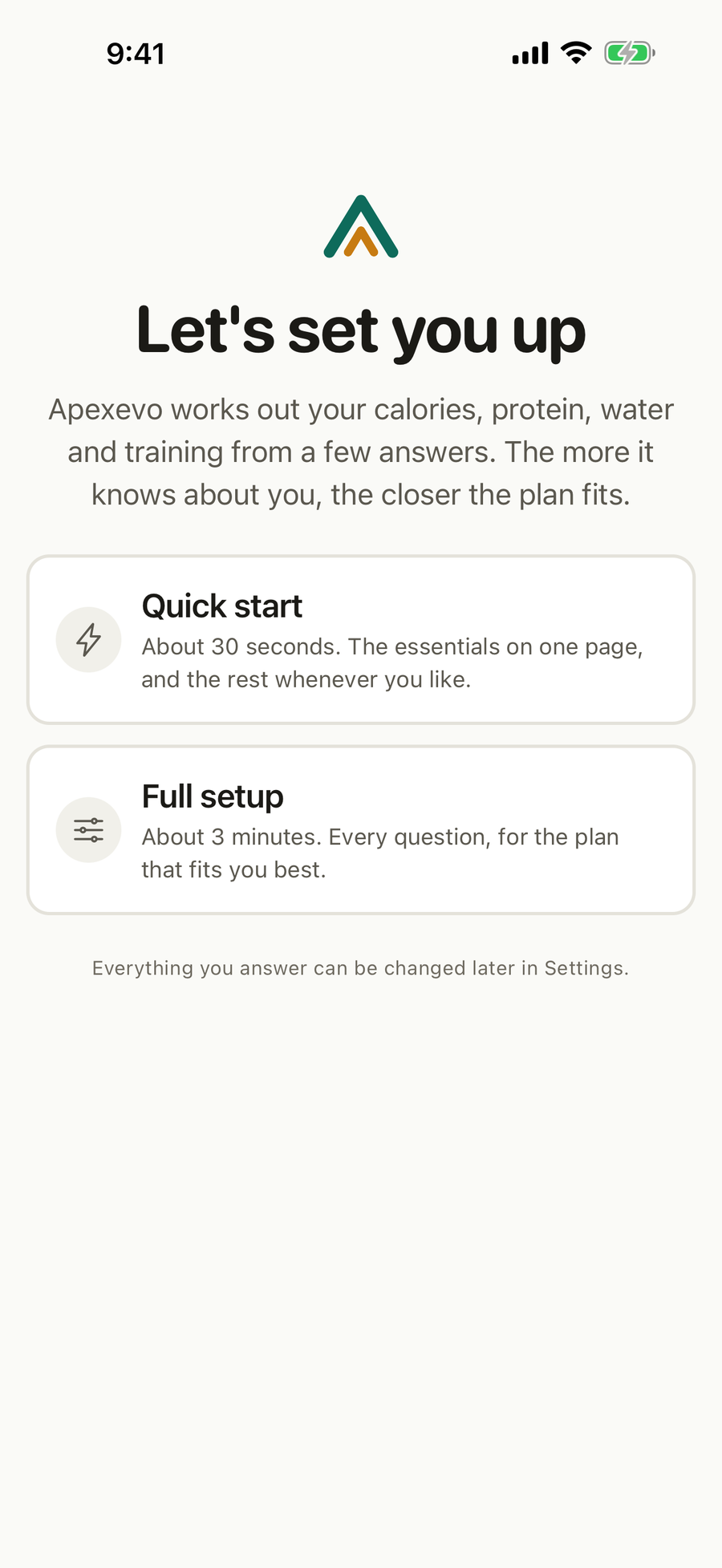
- Let’s set you up. A choice between Quick start and Full setup.
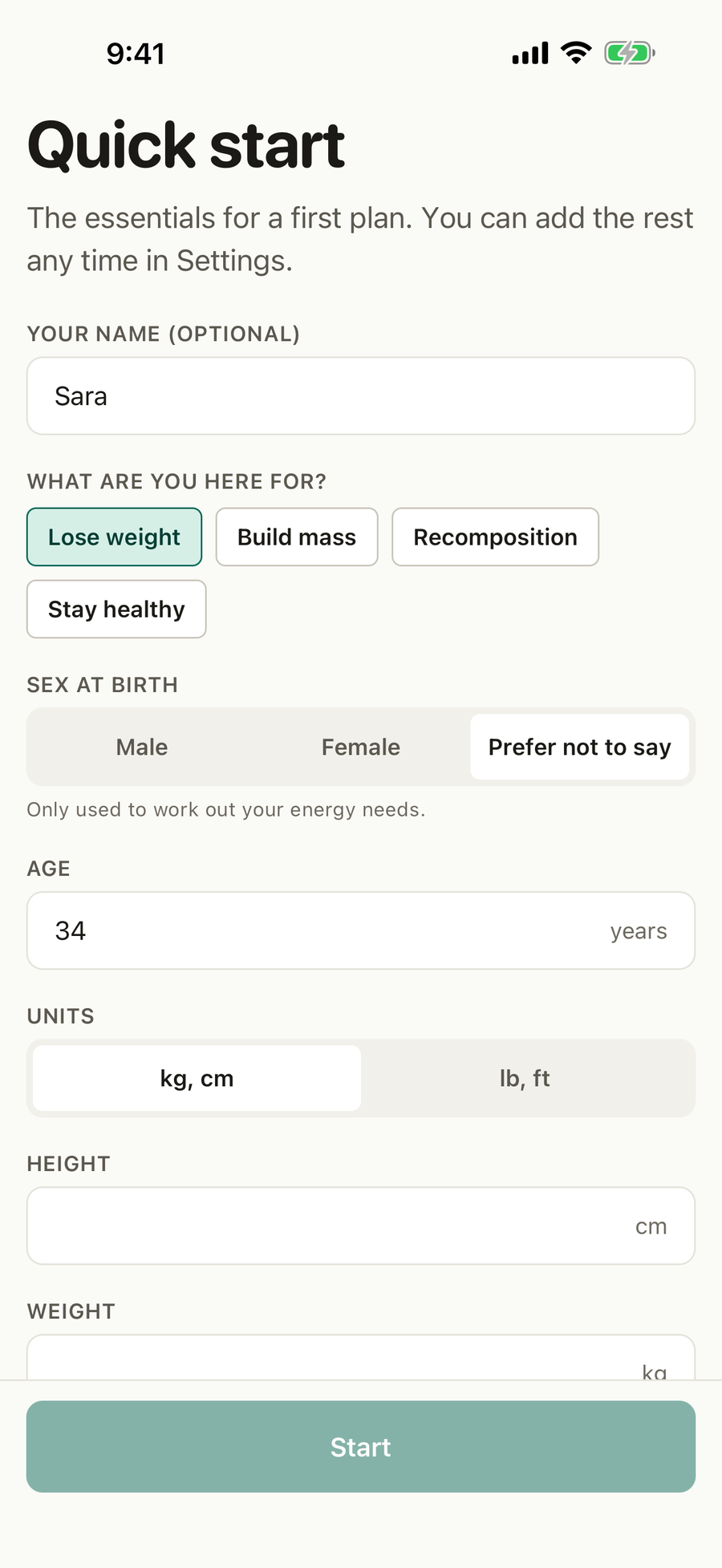
- Quick start. One page with your name (optional), what you are here for, sex at birth, age, units, height, weight, a short health check and the acknowledgement that Apexevo is not medical advice.
- Full setup. Your goal, about you, the full health check and how you live, one short stage at a time.
- What the app knows. Your first plan, with the reason behind each number.
What you can do
Create your account
Tap Create an account, enter your email and a password, and confirm. You need to be 18 or over.
Agree to the terms
Read the short summary, open the privacy policy or the terms if you like, and tap Agree and continue. If the terms ever change, the app asks again and says what changed.
Take the quick start
- Tap Quick start.
- Add your name if you like, and pick what you are here for, from lose weight, build mass, recomposition and stay healthy.
- Enter your sex at birth, age, height and weight, in kilograms and centimetres or pounds and feet.
- Tap None of these in the health check, or tick what applies to you.
- Turn on the acknowledgement and tap Start.
Anything not asked takes the careful choice, a mostly sitting day and beginner exercises. Change both later in Settings > Profile and goal. Today then asks you to finish the full health check, which takes about a minute.
Take the full setup
Tap Full setup and answer each stage. You can leave part way and pick up where you stopped, on this phone or another.
Read your first plan
What the app knows shows your calories, protein and water, and where they come from. Tap Enter Apexevo to go to Today.
Good to know
- Your answers are worked out by MuN, the engine Apexevo is built on, inside the app. MuN does not use AI, so your answers are not sent to an AI service.
- Everything you answer can be changed later in Settings, and your plan follows.
Questions
How long does setting up take?
About 30 seconds with the quick start, or about 3 minutes with the full setup. Either way you get a plan at the end, and you can add or change any answer later in Settings.
Can I try Apexevo before making an account?
Yes. Tap Look around first on the sign-in screen to explore a demo person's week. Nothing you do there is saved, and you can leave the preview from Settings.
Why does it ask health questions before anything else?
Some conditions change what is safe to suggest, such as a heart condition, a pregnancy or an eating disorder. Apexevo asks first so it never suggests something unsafe on day one. On the quick start most people answer with one tap, None of these.
Do I have to give my name?
No. A name is optional and only used to greet you on Today.
Who can use Apexevo?
Adults, 18 and over. It gives general fitness and nutrition guidance and is not medical advice.