Train
Sessions built for your equipment, the area you pick and the time you have, with a reason for every exercise. Programs, cardio and each exercise's steps.
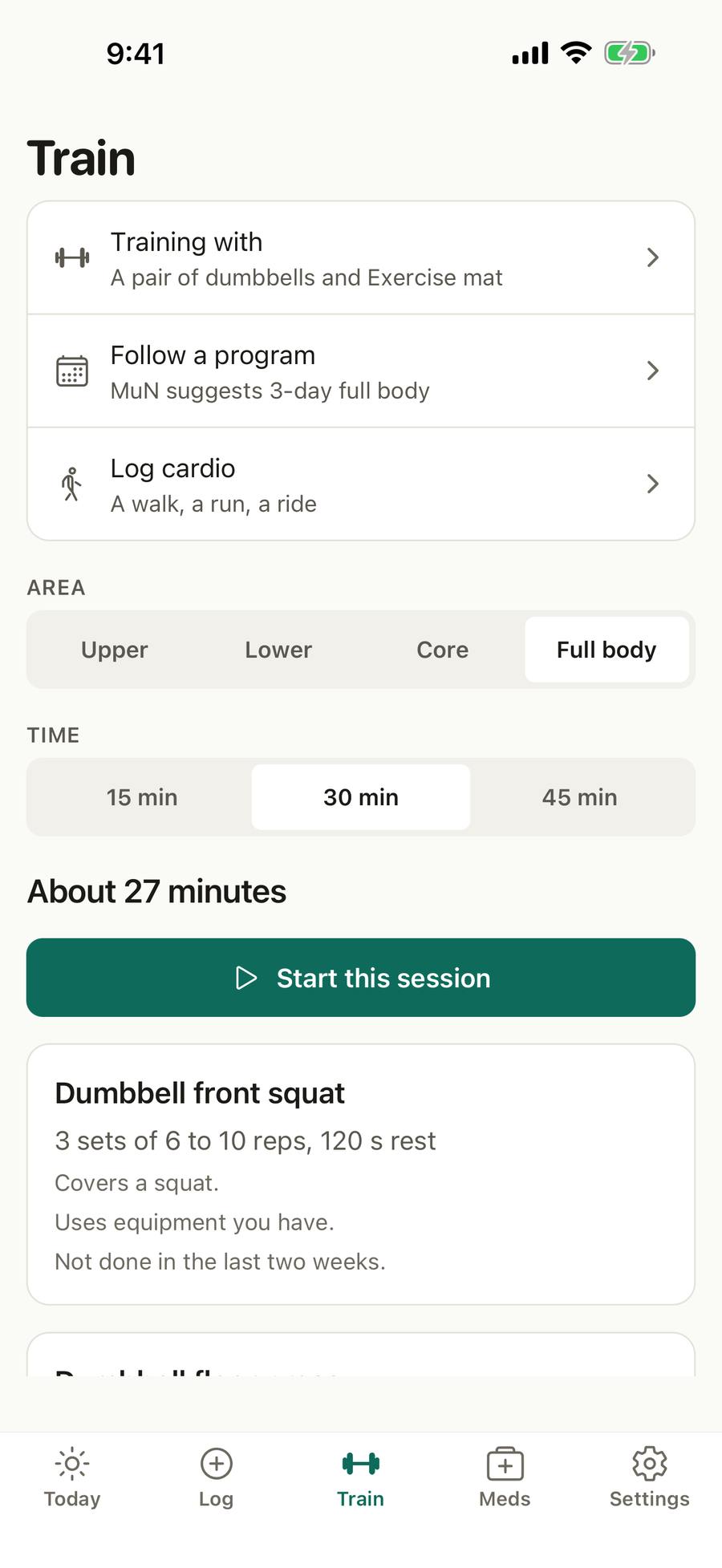
What’s on this screen
- Training with. The equipment your sessions use.
- Follow a program. Full body, upper and lower, or push, pull and legs, with the one MuN suggests for your week.
- Log cardio. A walk, a run, a ride and more.
- Area and time. Upper, lower, core or full body, and 15, 30 or 45 minutes, with muscles to focus on if you like.
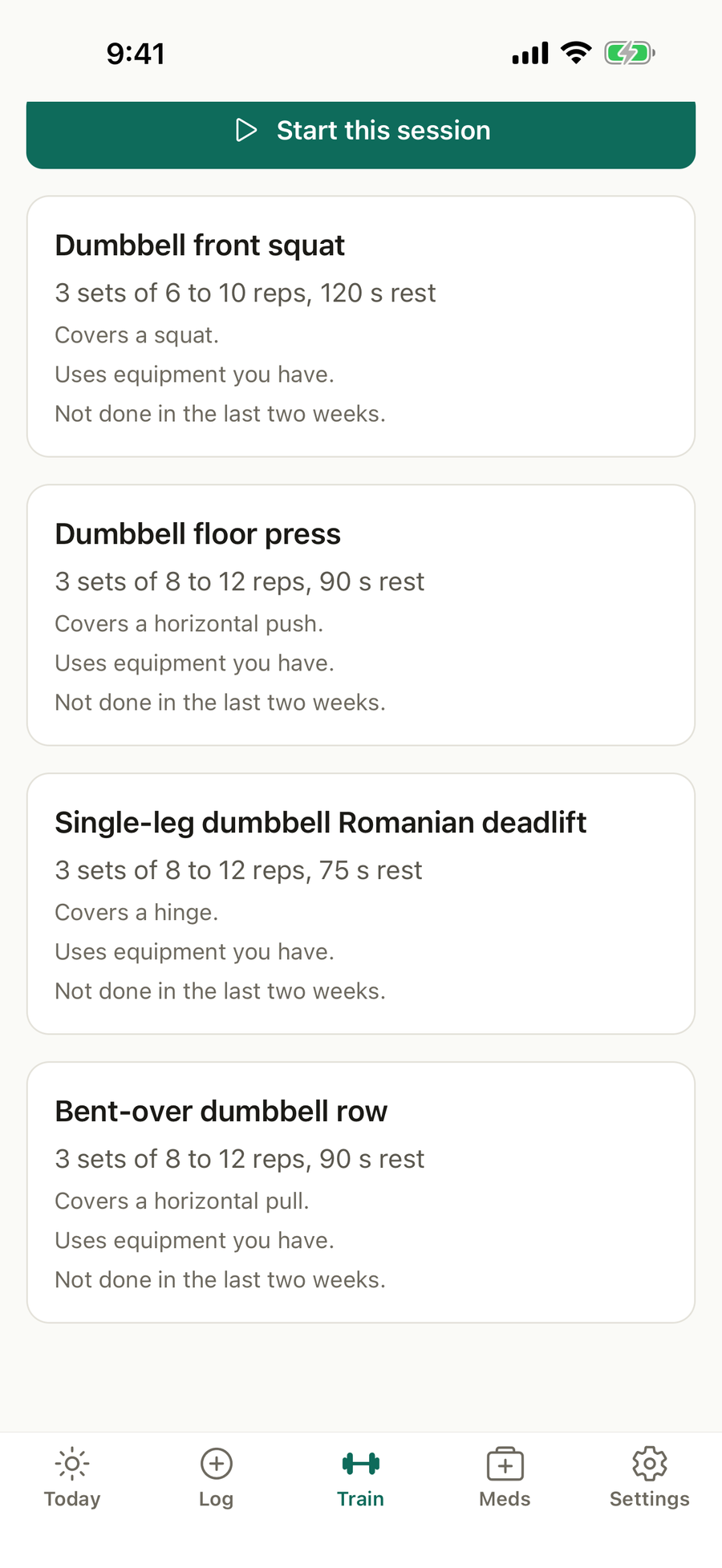
- The session. Each exercise with its sets, reps and rest, and why it was chosen.
- Start this session, or Resume session if one is in progress.
What you can do
Set up your equipment
The first time, choose Just my body or I have equipment and tick what you have.
Build and start a session
Pick an area and a time, read the session, and tap Start this session.
Train set by set
Tick each set as you finish it. A rest timer starts on its own and your phone buzzes when it ends. Tap Swap for another exercise with the same movement. Tap Finish session and say how hard it felt, from 1 to 10.
Read an exercise
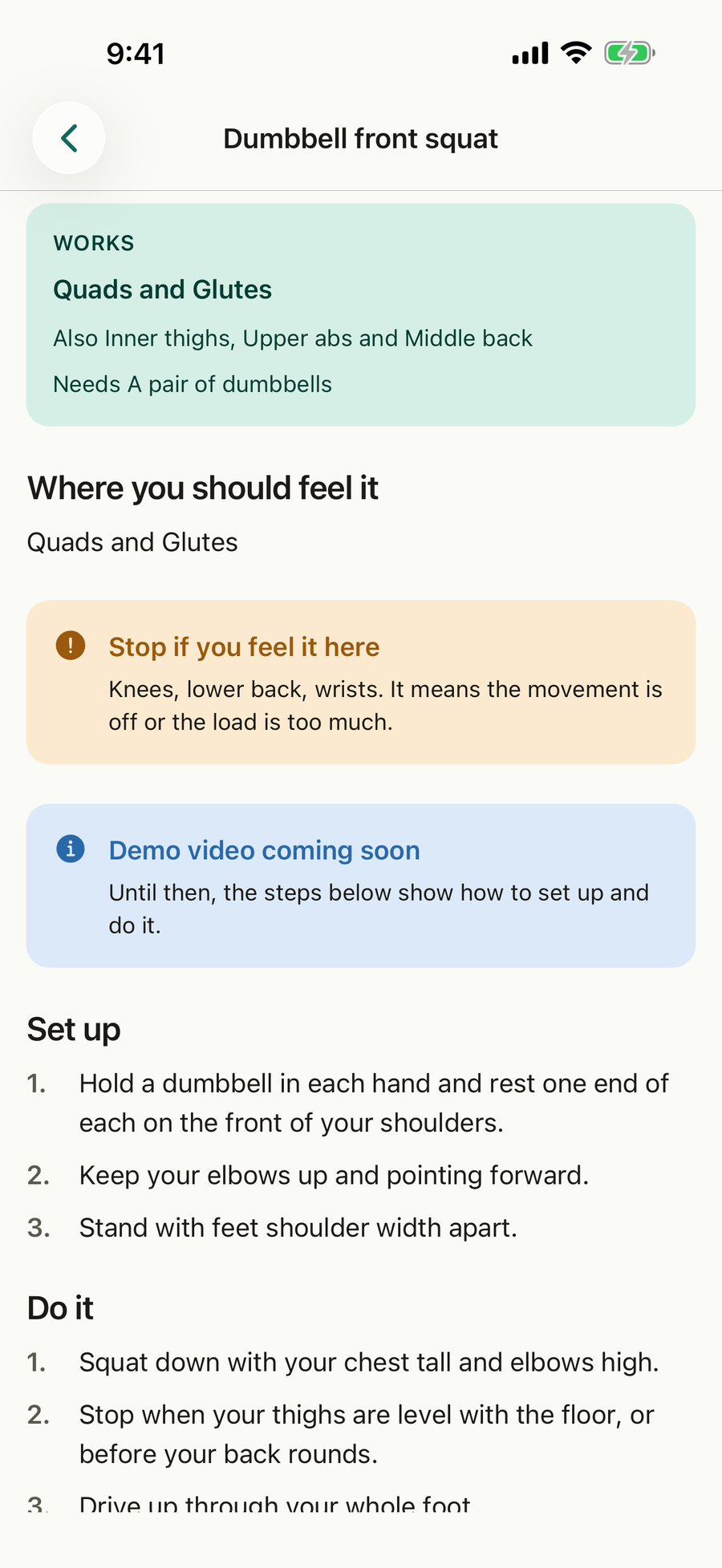
Tap any exercise for what it works, where you should feel it, where you should not, how to set up, how to do it and the common mistakes. Mark it as a favourite to see it more, or hide it to see it no more.
Follow a program
Choose a program and Train offers its next day. Days follow in order, so a missed day never breaks the week.
Log cardio
Tap Log cardio, choose walk, run, cycle, row, elliptical, stairs, swim or other, enter the minutes, and the distance and average heart rate if you know them, then say how hard it felt.
Good to know
- The first time you train, Train asks once for your body measurements. You can skip it.
- A health check answer, such as an injured knee, leaves out the exercises that could make it worse, and the session says so.
Questions
Do I need a gym?
No. Tell Apexevo what you train with, from just your body to a full gym, and every session uses only that. Change it any time in Settings, Equipment.
How does it choose my exercises?
MuN, the engine Apexevo is built on, picks exercises that suit your level, your equipment and any injuries you told it about, and says why for each one. Anything it leaves out for you is listed with the reason.
Where are the exercise videos?
Demo videos are coming. Until an exercise has one, its page says so and the written steps, cues and common mistakes show how to do it. Videos appear in the app as they are added, with no update needed.
What happens if I close the app mid-session?
Your session is kept. Open Train and tap Resume session to carry on where you were.
How does it know when to make an exercise harder?
When you reach the top of the rep range on every set, the next session suggests a little more weight or a harder version. If a session felt very hard, it holds you there once more.